10 Apps to Help Toddlers Talk (Tested and Ranked Honestly)
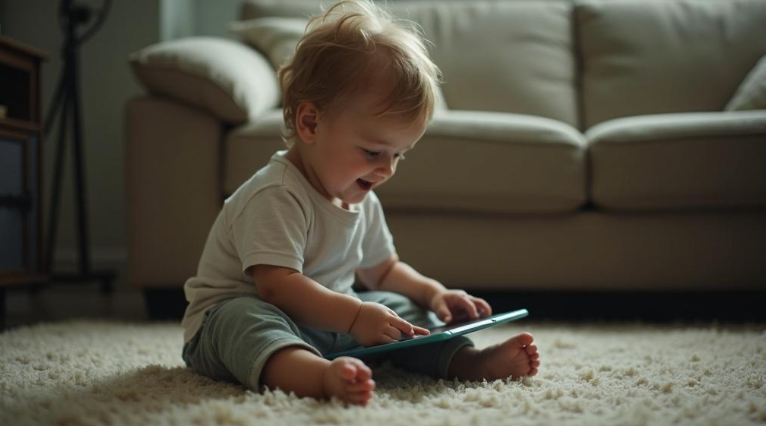
Most speech apps for kids are just flashcard decks with a sound button. That is fine for a seven-year-old drilling the /r/ sound before a school screening, but it is nearly useless for a two-year-old who melts down at structured tasks and needs someone to actually talk back. The apps below are ranked with that distinction in mind: which ones feel like a conversation, which ones feel like homework, and which ones are honest about what they can and cannot do.
1. Little Words
Buddy, the app’s AI companion, remembers your child’s name, their favorite topics, and where they left off. That alone separates this from every drill tool on this list. Sessions are voice-first and hands-free, so a pre-reader or a child who short-circuits at menus of text can still use it comfortably. Before each session starts, Buddy runs a mood check and adjusts his energy accordingly. Quieter day? Calmer pacing. Ready to play? Full adventure mode across themed worlds like Space, Ocean, and Dinosaurs. Target sounds (s, r, l, sh, th, and more) are woven into real back-and-forth conversation, not isolated repetition. Buddy never marks an answer wrong. He models the correct pronunciation and moves on. Parents get a PDF-exportable SLP-style report to bring to an actual therapist. COPPA compliant, no ads. Free trial available, then monthly or yearly subscription.
For outside context, see this asha.org.
Best for: ages 2 to 8, including kids with autism, ADHD, apraxia, or sensory sensitivities.
See also: Understanding Data Availability in Blockchain
2. Speech Blubs
Over 1,500 activities built around video modeling, where a child watches another child or character produce a sound and then tries to match it using the app’s voice-control feature. Designed with input for kids with apraxia, autism, speech delay, and ADHD. Pricing is roughly $14.49 per month or $59.99 per year, with a lifetime option at $99.99. It is more structured than Little Words and skews slightly older in practice feel, but the video modeling component is genuinely useful for kids who learn visually.
Best for: ages 2 to 8 who respond well to imitation-based learning.
3. Articulation Station (Little Bee Speech)
Built by licensed speech-language pathologists. The app covers more than 1,200 target words and organizes them by sound and position (initial, medial, final). The Pro version is a one-time $59.99 purchase, which makes it one of the better long-term values here. Articulation Station is a drill tool, not a conversation tool. It does not adapt to mood or attention span. What it does, it does with real clinical precision. Great complement to formal therapy. Weak as a standalone engagement tool for very young or easily distracted children.
Best for: kids already in speech therapy who need structured home practice.
4. Otsimo
Otsimo uses AI-generated feedback across 200-plus exercises and was built specifically for children with autism, apraxia, Down syndrome, and non-verbal or minimally verbal kids. The monthly price is around $6.99, or roughly $4.49 per month on an annual plan, with a lifetime option at $115.99. The interface is clean and low-clutter. It is one of the few apps here designed from the ground up for children who may not respond to standard verbal prompts.
Best for: minimally verbal children or kids with complex communication needs.
5. Tactus Therapy Apps
Tactus publishes a suite of individual clinical apps priced between $9.99 and $99.99 each. They are built by SLPs and used widely in actual therapy settings. The tradeoff is that they feel clinical because they are. A parent using them without some SLP guidance may not know which app to buy or how to set it up correctly. They work extremely well as homework tools when a therapist points you to the right one.
Best for: families actively working with an SLP who recommends a specific Tactus title.
6. Constant Therapy
Evidence-based, covers a wider age range than most apps on this list, and has been used in clinical research contexts. Its strength is data tracking and exercise variety. It leans toward older children and adults recovering from neurological events rather than toddlers acquiring first words, but it is worth knowing about if your child is older or has more complex needs.
Best for: school-age children and above with documented speech or language disorders.
7. Khan Academy Kids
Free. No speech recognition, no pronunciation modeling. What it does offer is a genuinely well-made environment for vocabulary building and early language exposure through stories, songs, and narrated activities. It will not replace any tool above for a child with a documented delay, but for a typically developing two-year-old it is one of the better free options available.
Best for: typically developing toddlers, supplemental vocabulary exposure.
8. Lingokids
Another app that sits at the language-enrichment end rather than the speech-therapy end. Lingokids targets English vocabulary and early literacy through games and songs. It has a subscription model and a limited free tier. Useful for bilingual families or kids who need more language input. Not designed for articulation practice or speech delay.
Best for: families focused on English vocabulary and early literacy alongside another home language.
9. Teletherapy with a Licensed SLP (Expressable and Similar Platforms)
Not an app. The most important option on this list. A licensed speech-language pathologist, whether in person or via a teletherapy platform like Expressable, is the only professional who can evaluate, diagnose, and treat a speech or language disorder. Every app here, including the top picks, is a practice and engagement tool. None of them diagnose. None of them treat. If your toddler is not meeting speech milestones, the first call is to a pediatrician or a licensed SLP, not the App Store.
Best for: any child with a suspected or confirmed speech or language delay.
10. ASHA and Library-Based Free Resources
The American Speech-Language-Hearing Association publishes free milestone checklists and guidance for parents at asha.org. Many public library systems also offer free access to early literacy apps through Libby or Sora. These cost nothing and come from credentialed sources. A reasonable starting point before spending money on any subscription.
Best for: parents in the research or early-concern stage.
Quick Comparison
| App / Option | Price Range | Ages | Speech Focus | Adapts to Child |
| Little Words | Free trial, then subscription | 2 to 8 | Pronunciation, vocabulary, confidence | Yes, AI-driven |
| Speech Blubs | $14.49/mo or $59.99/yr | 2 to 8 | Sound imitation, articulation | Partial |
| Articulation Station | $59.99 one-time (Pro) | 3 to 10 | Articulation drills | No |
| Otsimo | From $4.49/mo | 2 to 12 | AAC, articulation, autism support | Partial |
| Tactus Therapy | $9.99 to $99.99/app | 4 and up | Clinical articulation and language | No |
| Constant Therapy | Subscription | 5 and up | Evidence-based language therapy | Partial |
| Khan Academy Kids | Free | 2 to 7 | Vocabulary, literacy | No |
| Lingokids | Free tier / subscription | 2 to 8 | English vocabulary | No |
| Teletherapy (Expressable) | Varies by plan | All ages | Full clinical speech therapy | Yes |
| ASHA / Library Resources | Free | All ages | Parent education, milestones | No |
FAQ
At what age should I start worrying about my toddler’s speech?
General benchmarks: around 12 months, most children say a word or two. By 24 months, 50 words and some two-word combinations. Missing those markers is worth a conversation with a pediatrician or SLP, not a reason to panic but also not something to wait on indefinitely.
Can an app actually help a toddler talk?
Regular exposure to spoken language, responsive interaction, and low-pressure repetition all support speech development. Apps that provide those things can be a useful supplement. They do not replace a real conversation partner, a parent reading aloud, or a licensed therapist when one is needed.
What makes Little Words different from a standard drill app?
Most drill apps present a word, ask for a repetition, and mark it correct or wrong. Little Words runs voice conversations through an AI companion that adjusts to the child’s mood, remembers their preferences, and models correct sounds without marking anything as a failure. That approach matters more for younger or more easily discouraged kids than it does for an older child who handles structured practice fine.
Are these apps safe for toddlers with autism or sensory sensitivities?
Some are designed specifically with those children in mind, Little Words and Otsimo most explicitly. Look for apps with adjustable session length, low visual clutter, no sudden loud sounds, and no punitive feedback. Always introduce a new app in a calm setting and follow the child’s lead on whether they want to continue.
Should I pick an app or get an SLP?
Both, if possible. An SLP sets goals, tracks progress clinically, and adjusts the plan. An app helps a child practice between sessions without making practice feel like work. The two work better together than either does alone.
Sources
- American Speech-Language-Hearing Association (ASHA) milestone guidelines: asha.org
- Speech Blubs pricing and feature descriptions: official Speech Blubs product pages
- Little Bee Speech / Articulation Station app details: App Store product listing and Little Bee Speech official site
- Otsimo pricing and feature descriptions: Otsimo official site
- Tactus Therapy app catalog and pricing: Tactus Therapy official site
- Constant Therapy product information: Constant Therapy official site
- Expressable teletherapy platform: Expressable official site